Training Log
A side project: a mobile-first workout planner and tracker built around one idea, zero decisions to start. Open the app and today's workout is already planned for the time you have and the equipment you own. Tap Start, follow the sets and the rest timer, and watch your streak and lifts go up.
Open the app Source on GitHub Architecture notes
Works without signing in. Built with AI coding tools as a way to learn by shipping something I use every day.
What it does
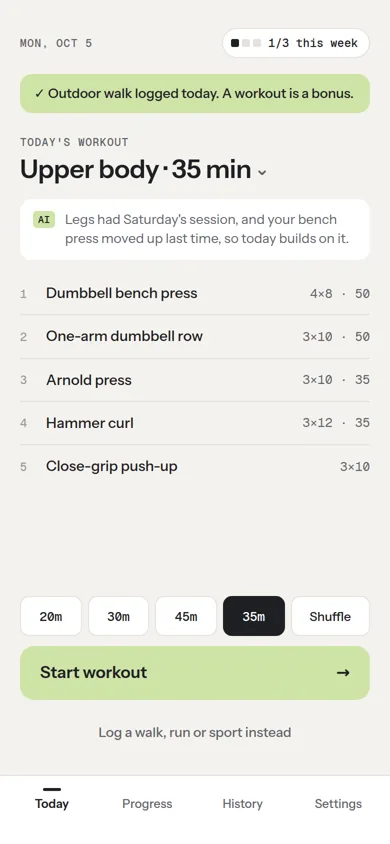
- A workout ready on open. Today's plan is built automatically, rotating upper body, lower body and full body. Pick any of 14 focus areas, choose 20, 30 or 45 minutes, or shuffle for different exercises.
- AI planning. An LLM personalizes the plan from recent workouts and activities and explains why in one line. If it's unavailable, a curated library of about 170 exercises plans the workout instead.
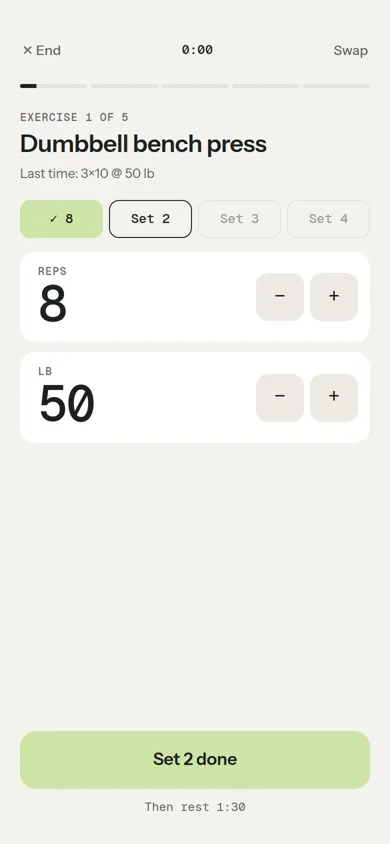
- Live workout mode. Reps and weight steppers, "last time" numbers, an automatic rest timer with chime and vibration, exercise swaps, and the screen kept awake. A reload or a locked phone resumes where you left off.
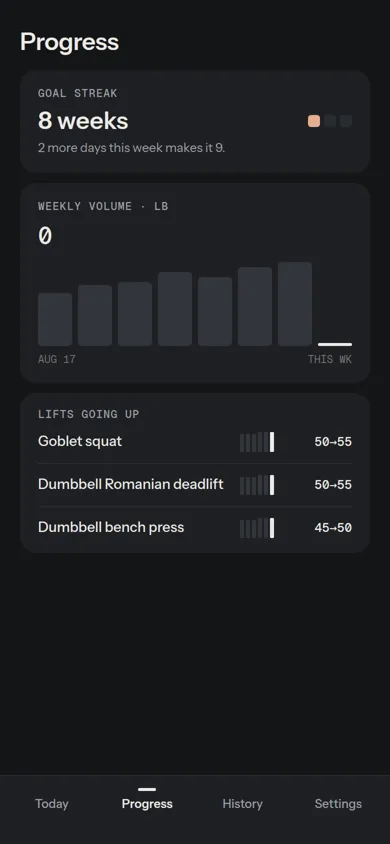
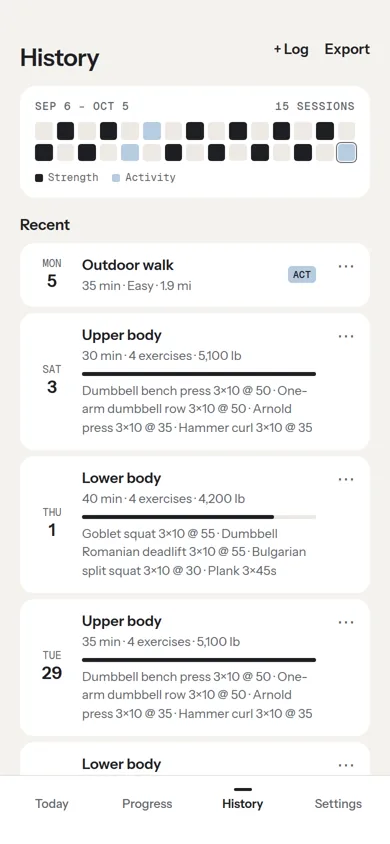
- Progress you can see. A weekly goal of active days, a streak of weeks that hit it, weekly volume, lifts going up, and a 30-day calendar with PR tags. Walks, runs and sports count too.
- Local-first with cloud sync. Works offline and signed out. Sign in with Google to sync across devices, or continue as a guest and link Google later.
- Installable PWA on iOS and Android, with Day and Night themes and JSON, CSV or text export.
How it's built
Everything runs in the browser. Two small cloud services add sync and AI planning, and the app keeps working without either of them.
Principles
- Local first. The UI never waits on the network. Changes land in localStorage, then sync when a connection is there.
- No build step. Plain HTML, CSS and JavaScript served as static files from GitHub Pages.
- Graceful fallback. No sign-in means data stays on the device. No AI means the built-in library plans the workout.
- Secrets stay server-side. The Gemini key lives only in the Worker. The Firebase web config is public by design; Firestore rules enforce access.
Stack
| Layer | Implementation |
|---|---|
| UI | Single-page vanilla HTML, CSS and JavaScript; no framework |
| Planning | Greedy time-budget packer over the exercise library, rotating muscle groups and ranking by how recently each exercise was done |
| Stats | Pure functions for weeks, goal history, streak, volume, lift trends and PRs, unit tested in Node |
| Live workout | Session saved on every change; rest timer derived from a timestamp; Web Audio, Vibration and Screen Wake Lock APIs |
| Storage | localStorage with versioned keys is the source of truth on each device |
| Sync | Firebase Authentication (Google and anonymous) and Cloud Firestore; workouts merge by id, deletions propagate, settings are last-write-wins |
| Offline | Service worker with stale-while-revalidate caching; installable PWA |
| AI | Gemini behind a Cloudflare Worker that checks origin and request size, verifies Firebase ID tokens, and enforces per-tier daily limits in a Durable Object |
| Tests | Node unit tests for stats; Worker tests for auth, tiers, limits, day rollover and API errors |
How a plan is made
- On open, a plan is built locally from the library for today's focus. If AI is on, a better plan is requested in the background.
- The app sends the system prompt, the user prompt (minutes, focus, equipment, the last 10 entries) and a JSON schema to the Worker. Signed-in users attach their Firebase ID token.
- The Worker verifies the token, picks a tier (owner, member or public) and checks that tier's daily limit.
- The Worker calls Gemini and returns the JSON plan. The app validates it, prefers the user's logged weights, and swaps it in.